
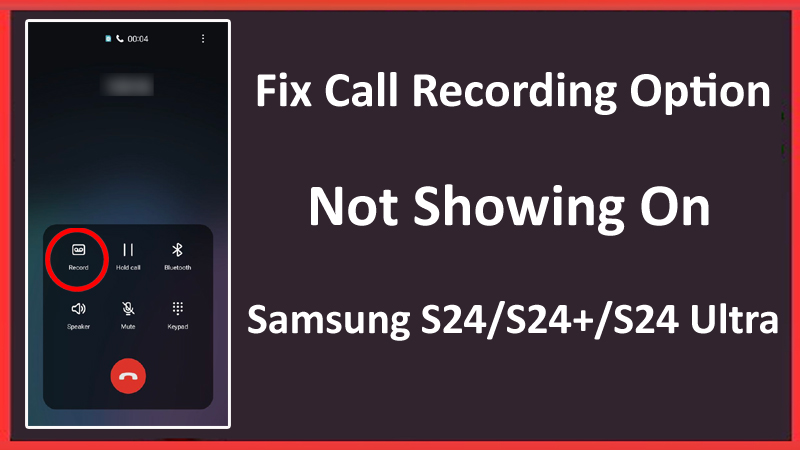
All Android smartphones provide a call recording feature, which is used to capture important conversations, whether professional or personal, or for future references.
However, some Samsung S24 series users are complaining that the call recording option is not visible on their smartphones. If you are also facing the same problem, read this tutorial to learn how to fix call recording option not showing on Samsung S24/S24+/S24 Ultra.
Why Is The Call Recording Option Not Showing On Samsung S24/S24 Plus/S24 Ultra?
Before moving to the solutions, it is important to understand why your Samsung phone does not show a call recording option.
Some of the most common reasons include:
- If your Samsung Galaxy S24 series phone is running on an outdated version, then it can prevent the call recording feature from showing up.
- There are some regions or countries where recording calls is illegal. So, if you belong to these regions then you may get the call recording feature disabled on your mobile phone.
- If you have installed third-party apps that are related to dialing or call recording then they may interfere with the built-in call recording option.
- In rare cases, hardware issues on your phone can also cause call recording option to be invisible.
So, these are the reasons behind the problem that you are currently facing, now it is time to move forward with the methods to solve the problem.
How To Fix Call Recording Option Not Showing On Galaxy S24/S24+/S24 Ultra
Follow the below listed methods to fix call recording option that disappeared on the Samsung S24 series phone.
Fix 1: Install Latest Update
If you have a pending software update for your Samsung phone then this can cause the feature to be buggy or disappear from your device.
Hence, you should check for the latest OS version update and install the latest update if you find it.
Here, learn how to update the Samsung S24 Operating system:
Step 1: Open the Settings app.
Step 2: Then tap on Software Update.
Step 3: Next, hit on Download and Install.
Step 4: If you find the latest update then follow the on-screen instructions to install it.
When the updating process is completed, restart your phone and check whether the call recording option is showing up or not.
Fix 2: Check For Legal Restrictions
There are some countries where call recording is not legal. Therefore, you need to check whether call recording is legal in your region or not.
Some locations or countries have strict laws against call recordings, in this case, the recording feature may be disabled on your Galaxy device.
So, you need to check if call recording is restricted in your area or not.
Below learn how to check this.
- Search local laws and regulations concerning call recording.
- You can contact your mobile carrier to get details regarding call recording restrictions.
- Seek advice from a legal professional familiar with your country’s telecommunication laws.
If call recording is illegal in your region, then you can’t turn on this feature on your handset.
Fix 3: Check Call Recording Settings
It might be possible that your phone has the wrong settings and due to this you are unable to record call conversations. In this case, you need to check the settings and correct it.
Here, follow the steps to solve it:
- Open the Phone app.
- Then hit the 3 dots or menu icon in the top right corner of the screen.
- Tap on Settings and then on Record Calls.
- Now, turn on Auto record calls to automatically record all calls.
- Or you tap on “Choose which calls to record” to choose particular contacts or phone numbers to record.
Once you have enabled this feature in the settings, you may get the option to record calls while making or receiving calls on your phone.
Fix 4: Clear Phone App Cache & Data
If your Samsung S24 Ultra phone has corrupted temporary cache files then also you might not get the call recording option on your Samsung Galaxy S24 Plus.
So, to fix this you can wipe cache and data of Phone app.
Here, follow the steps to do the same:
- Navigate to Settings > Apps.
- Scroll down and tap on Phone.
- Next, tap on Storage.
- At last, hit on the Clear Cache and Clear Data button.
After this, restart your mobile device and check whether the problem is solved or not.
Fix 5: Uninstall Conflicting 3rd Party Apps
If you have installed any third-party call recording or dialing app on your Galaxy S24 then they may conflict with the default call recording feature.
So, to get rid of this problem you need to check and delete conflicting apps.
Here, learn how to do the same:
- On your Samsung phone open the Settings app.
- Then hit on Apps.
- Now, find the dialing or call recording app and tap on it to open it.
- Next, hit on Uninstall.
- Repeat the same steps with other apps that may be causing the problem.
If you are unable to find which app may be causing the issue then you can start uninstalling recently installed apps one after the other after checking whether the issue is solved or not.
Fix 6: Contact Samsung Support
If you have tried all the above-listed methods but still the call recording option is not showing on the Samsung S24 (Plus) (Ultra) then it means that there is some hardware problem in your device. And to solve it, you need to contact Samsung Support for further help.
They will solve the problem and provide steps to fix it.
Here, learn how to contact Samsung support:
- Visit the official Samsung Support website.
- Then go to the “Support” or “Contact Us” section.
- Now, select any option to contact like email, phone, or live chat.
- Give them details about your Galaxy S24 and the problem that you are currently facing.
- Now, follow the instructions provided by the team to solve the call recording option not showing issue.
If the condition of your device is more critical then take your phone to Samsung Support Center for repairing.
Wrap Up
So, these were 6 different and effective methods to fix call recording option not showing on Samsung S24/S24+/S24 Ultra. We hope these methods have worked for you and now you are able to record conversations via a call.
If this guide has helped you and you think others should also read this, then you can share it with others.
You May Also Like:
- How To Fix Can’t Hear Phone Calls Unless on Speaker on Android
- Fix Samsung S24/S24 Ultra/S24+ Low Audio/Sound During Calls
- How To Retrieve Deleted Call Logs On Samsung Phone
- How To Fix Samsung S24/S24+/S24 Ultra Screen Flickering Issue

Max Field is a founder of Recover Android Data. He is an Android lover and loves to write tips, tricks, fixes for errors, data recovery solutions and more related to Android.