

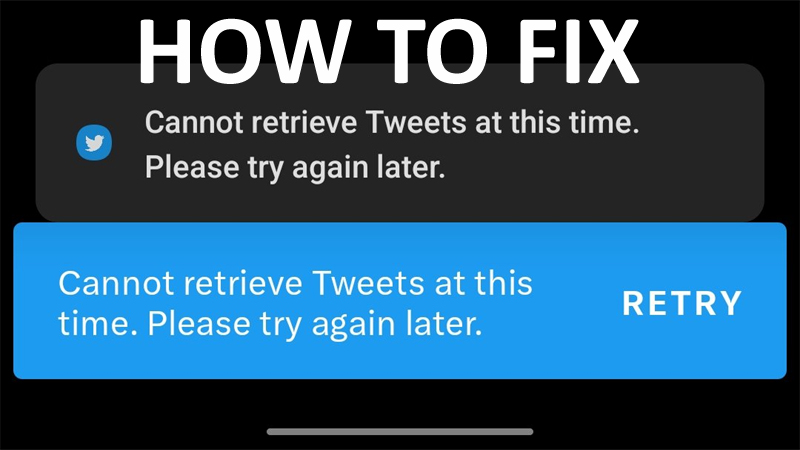
Effective Solutions To Fix “Cannot Retrieve Tweets At This Time. Please Try Again Later” Error On Twitter!
Are you getting the Twitter error message “Cannot retrieve Tweets at this. Please try again later.” while browsing the feed? Looking for a way to fix the Twitter error message? If ‘Yes’, then this article is for you.
In this article, you are going to learn some potential fixes that can help you to fix and get rid of “Cannot retrieve Tweets at this time” error on Twitter for Android, iOS and PC.
We will start with a real user practical scenario!
Practical Scenario: A User Encountering “cannot retrieve tweets at this time” for Many Days
For days now any time I try to search something or click a hashtag I get an ” cannot retrieve tweets at this time” I know it’s not my internet and it should’ve been long enough for it to be fixed if it was on Twitter’s end, I’ve even hard stopped the app, how do I fix this? Source: Reddit
That was just one example! But there are many users out there facing this error.
Also Read: How To Fix Snapchat Support Code SS06
Why Does Twitter Keep Saying Cannot Retrieve Tweets at This Time?
Elon Musk has implemented some restrictions.
He tweeted –
To address extreme levels of data scraping & system manipulation, we’ve applied the following temporary limits:
– Verified accounts are limited to reading 6000 posts/day
– Unverified accounts to 600 posts/day
– New unverified accounts to 300/day
But after 12 hours, he increased the limits to 10K, 5K and 0.5K respectively.
So, if Twitter is not able to retrieve Tweets, then it could be possible that you have exceeded the viewing limits of the tweet.
However, if you have exceeded the limit, then there could be other several reasons such as:
- It might be possible that Twitter servers are down.
- Maybe your internet connection is having some issues.
- There could be some issues with your Twitter account.
- Trying to access Twitter from a restricted network.
- Maybe you are using Twitter app which is outdated.
Also Read: TikTok Not Uploading Videos – Fix It Now!
Solutions To Fix “Cannot retrieve Tweets at this time. Please try again later” on Twitter
Whether you are facing the:
- Cannot retrieve Tweets at this time on Android/iOS (iPhone/iPad)/Computer.
- Cannot retrieve Tweets at this time on one profile.
- Cannot retrieve Tweets at this time blocked.
You can follow the below-mentioned solutions one-by-one and check if that solves your issue.
Solution 1: Subscribe To Twitter Blue
If you have exceeded the viewing limits, then subscribing to Twitter Blue can fix the issue.
- Open Twitter. If not logged in, then log in to your account.
- Tap on your Profile icon and tap on “Twitter Blue”.
- Select the plan “Monthly” or “Annually”.
- Finally, make the payment in order to subscribe to Twitter Blue.
Also Read: Instagram DMs Stuck on Loading Screen: Fixes That Worked!
Solution 2: Check If Twitter Server Are Not Down
Check if Twitter is currently having any outages.
To check server status, you can go to downdetector. And see if it has any spike in the graph. If it is, then it means that Twitter is having outages or its server is down.

If it is down, then you can’t do anything. Instead, you have to wait until they fix the problem.
Solution 3: Try Web Version of Twitter
On Android: Launch Chrome and go to its incognito mode. Visit twitter.com, login to your account and start to view your tweets.
On iPhone: Launch Safari and go to its private mode. Visit twitter.com login to your account and start to view your tweets.
On Computer: Open Chrome or any other browser, go to its incognito mode. Visit twitter.com and start to view tweets.
Tip: If the web version is not working, then try using the Twitter app.
Also Read: Fix Snapchat “Oops! Something Went Wrong. Please Try Again Later”
Solution 4: Update Twitter App
If you are getting the error on your Twitter app, then check for any new update available for the app in Play Store (for Android) or App Store (for iOS).
Updating the app is important so that it can function properly. If it is outdated, then it can have defects and can create issues.
Hence, check for an update for Twitter app and if any update is available, then kindly update it.
Solution 5: Clear Twitter App Cache
It has been seen that sometimes clearing Twitter app cache has fixed many issues.
So, try this solution as well!
For Android: Go to Settings > Apps/All Apps > Look for Twitter and tap on it. Tap Storage and then tap on Clear Cache.
For iPhone/iPad: Go to Settings > General > Look for Twitter app and tap on it. Tap iPhone/iPad storage > tap on Offload App.
After that, open Twitter app and see if it is able to retrieve tweets or not.
Also Read: [Fixed] Instagram Won’t Open On Android
Solution 6: Log Out And Then Login To Twitter
This trick sometimes works amazingly.
It can help you to fix Twitter cannot retrieve tweets at this time problem.
Just log out of your Twitter account or app and then log in back.
Solution 7: Try VPN
You can also try and get connected to a VPN and see if that resolves the issue.
- Force close Twitter app or website.
- Download the VPN app.
- Connect to it.
- Reopen Twitter app or website and start viewing the tweets again.
Solution 8: Wait For Rate Limits To Lift
If you have exceeded the viewing limits of tweets, then it could be one of the reasons for the occurrence of Twitter error can’t retrieve tweets at this time and tweets can be blocked.
Rate limits particularly last for a few hours, up to 48 hrs.
Elon Musk has mentioned that the rate limit is temporary and it will be increased periodically until it’s no longer a factor.
So, if you have been recently rate limited, then you have to wait for 24 to 48 hours for it to be lifted.
Wrap Up
So, these are the effective solutions that can help you to fix “Cannot retrieve Tweets at this time. Please try again later” on Twitter.
If you have found this article helpful and useful, then please share it as it can help others!
Please support us by subscribing to our YouTube Channel.
You May Also Like:
- How To Fix “Unfortunately, Twitter Has Stopped” On Android
- Fix Twitter Stuck On “You’ve proven you are a human. Continue your action”
- Rate Limit Exceeded on Twitter? Here How To Fix!
- Is Your WhatsApp Not Working? Here What You Need To Do!

Max Field is a founder of Recover Android Data. He is an Android lover and loves to write tips, tricks, fixes for errors, data recovery solutions and more related to Android. Provide Gaming Tips, Tricks, Game Error/Issues Solutions (PC/Xbox/PlayStation/Mobile). He has 11+ years of experience in this field.