


Learn The Easy Steps To Create An Account On Bondee App On Android or iOS!
Overview: Are you looking to make an account in Bondee? If “Yes”, then this post will help you to easily create a Bondee account on Android or iPhone.
So, let’s start with – What is a Bondee?
What is a Bondee?
As per Bondee website, it is defined as – Live with your friends. Come to Bondee, a brand new digital world. Redefine yourself. Face to face time. Be a trendsetter.
As per Play Store or App Store – Bondee is a virtual plaza for you and your closest friends to hang out authentically.
Overall, it is a social networking app where you can hang out with your friends.
You can invite up to 50 friends to join your plaza.
You can chat, live together, status updates, share moments, experience new places together, gossip, and more. It doesn’t matter in which corner you are in the world.
The app also allows you to participate with friends in the virtual world in several activities such as dancing, sailing, camping, etc.
Further, you can present yourself, with a variety of trendy and original outfits created fashion community designers.
Anyway, coming back to the topic.
Let’s find out – how to create an account on Bondee app?
Also Read: How To Search Someone On OnlyFans
Simple Steps To Create Bondee Account on Android or iPhone
Whether, you are using an Android phone or iPhone, the steps are very similar.
Step 1: Download Bondee app
First, download and install the Bondee app from Google Play Store (for Android users) or Apple App store (for iOS users).
Alternatively, you can download the app from the official website as well: Bondee – Live with your friends
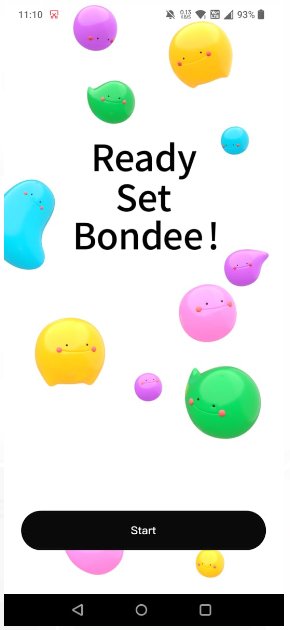
Once, you installed the app, launch it and tap on Start.
Then agree the term of use and privacy policy.
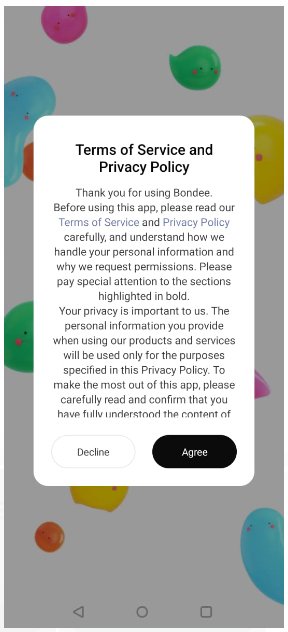
Note: If Bondee app is not available in your country or region, then you have to use VPN or download an APK of the app.
Step 2: Enter Phone Number/Email Id and Verify It Using Verification Code
After agreeing the term of use and privacy policy, simply tap on “Sign Up” and enter your phone number. You can also sign-up with email id.
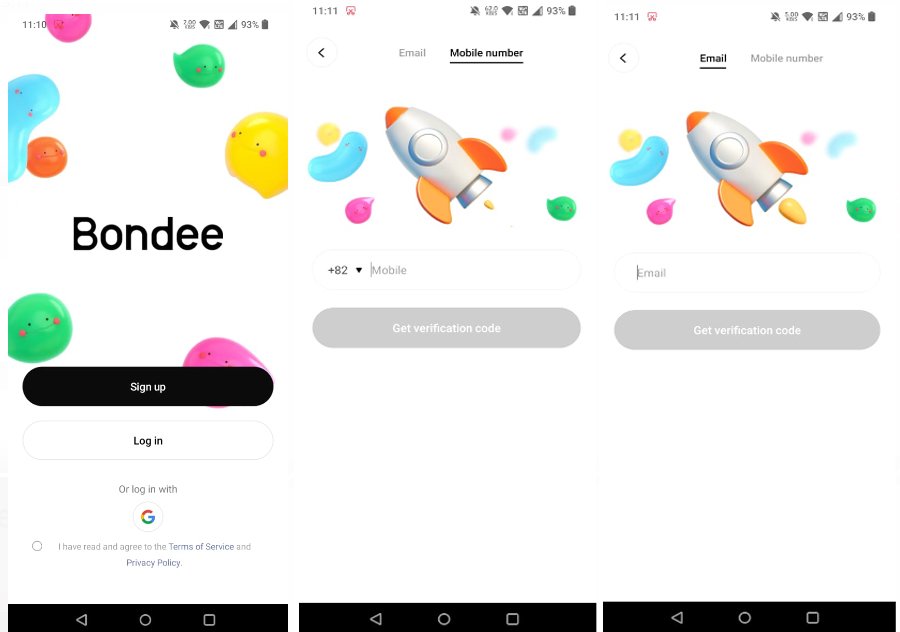
You will then receive the verification code, that you have to enter to verify your phone number/email id.
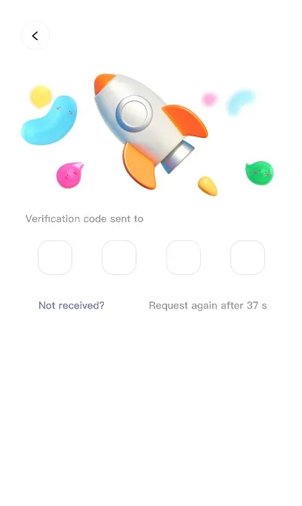
Note: If you do not receive any verification code, then you have to wait for some time or request it again.
Step 3: Fill Out Personal Details
After you verified your phone number, you will then need to enter your birthday and name and select Continue.
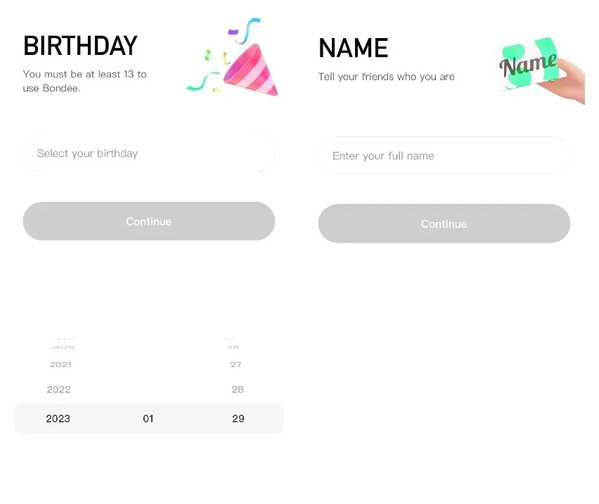
Note: You need to be atleast 13 years old to use Bondee.
Step 4: Select An ID and Set a Password
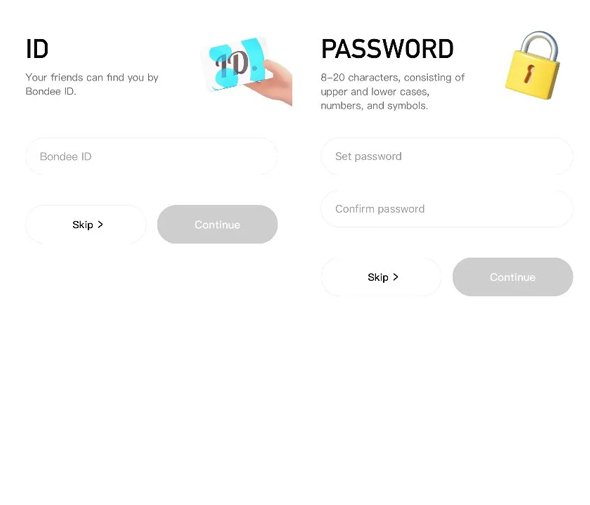
Next, you have to choose a Bondee ID. This is just like social media username or by which name your friends can search for you.
Set the Password, confirm it and then tap on Continue.
Step 5: Customize Your Avatar
This is the last step. You will have to customize your avatar.
Here you can select skin tone, eyes, hair, cloths and more.
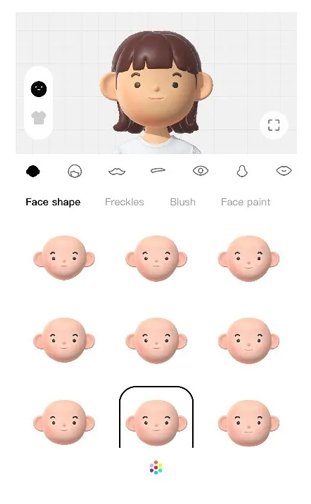
Once, you customized your avatar and satisfied with it, finally tap on Done to complete the process.
Congratulations! You have successfully created an account on Bondee app.
That’s All! Isn’t it easy and quick?
You can now, connect with friends in virtual world and share photos, videos, moments, go to new places, dance, sail and more.
Related Frequently Asked Questions [FAQs]
Answer: Yes, it is available in App Store (iOS) and Google Play Store (Android) and users can download it. But keep in mind, at present it is only available in some select countries and regions.
Answer: Well, Bondee appears to be an app that is co-developed by US and South Korea, the company that created the app named Metadream and is registered in Singapore. But many users who are using the app thought that the app’s user terms agreement referred to Taiwan as a part of China. Source: No Man is an Island
Wrap Up
Bondee is a new social networking app and it is trending as it is a new way to connect with friends and perform various activities in a virtual world.
So, if you also want to try and use it, then you can easily create an account in Bondee app on Android or iOS by following the above simple steps mentioned above.
Please support us by subscribing to our YouTube Channel.
You May Also Like:
- Instagram DMs Stuck on Loading Screen: Fixes That Worked!
- How To Get Unshadowbanned On TikTok
- Fix Snapchat “Oops! Something Went Wrong. Please Try Again Later”
- Google Chrome Not Downloading Files? Here’s The Real Fixes!

Max Field is a founder of Recover Android Data. He is an Android lover and loves to write tips, tricks, fixes for errors, data recovery solutions and more related to Android. Provide Gaming Tips, Tricks, Game Error/Issues Solutions (PC/Xbox/PlayStation/Mobile). He has 11+ years of experience in this field.