
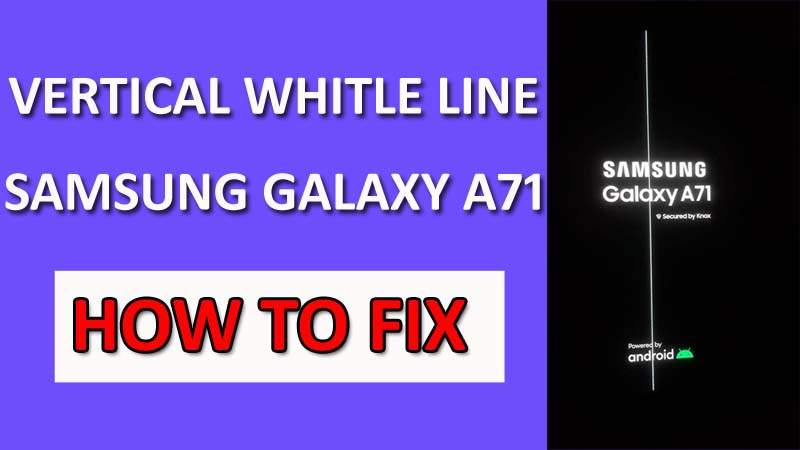
Are you facing the issue of the white line on Samsung A71 screen?
Don’t panic! Other users are experiencing the same issue as yours.
You can follow the solutions provided in this guide to solve the problem.
In this guide, you will learn how to fix vertical white line on Samsung Galaxy A71.
Now, let’s move to the solution.
How To Solve White Vertical Line on Samsung A71 Display
Fix 1: Update Device Software
An outdated software is often responsible for issues like “My Samsung A71 has vertical white lines on the screen”.
A user reports this problem. However, there are chances that a software glitch is causing the problem. So, updating the software to the latest version can fix it.
These are the steps to follow.
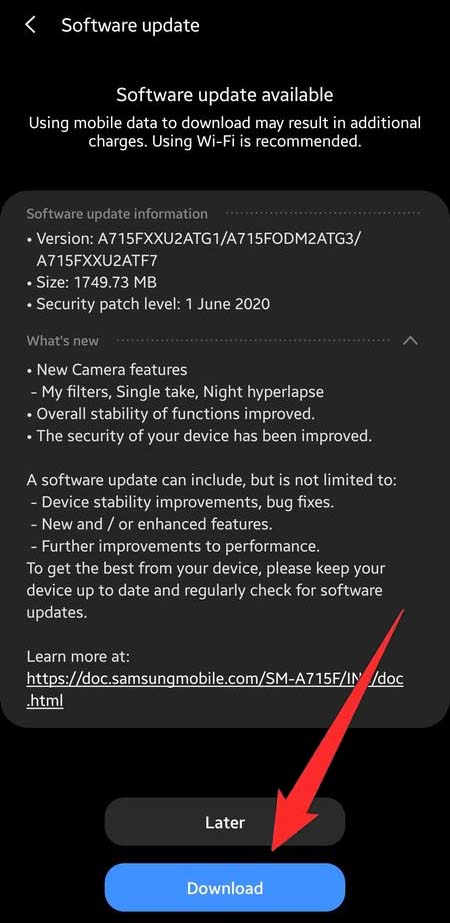
1: Go to Settings > System > Software update.
2: Tap on Check for updates, if it shows any update, download and install it.
After that, check if the issue is fixed or not.
Also Read: Samsung Phone Stuck on Airplane Mode? Here Is The Real Fix!
Fix 2: Put Your Device Into Safe Mode
If you are wondering “Why Samsung A71 white vertical line appeared out of nowhere”, then you can boot your device into safe mode to check what caused the issue.
In this mode, you can find the culprit easily because it won’t allow any third-party apps to work.
So, if you find the phone stops showing a white line on display in Safe mode, then you can uninstall the third-party apps.
Follow the steps to do so.
1: Swipe down to open the Notification Panel, and tap on the Power Icon.
2: Now, touch and hold the Power Off button, then tap on Safe Mode.
3: Now, your phone will boot into Safe mode.
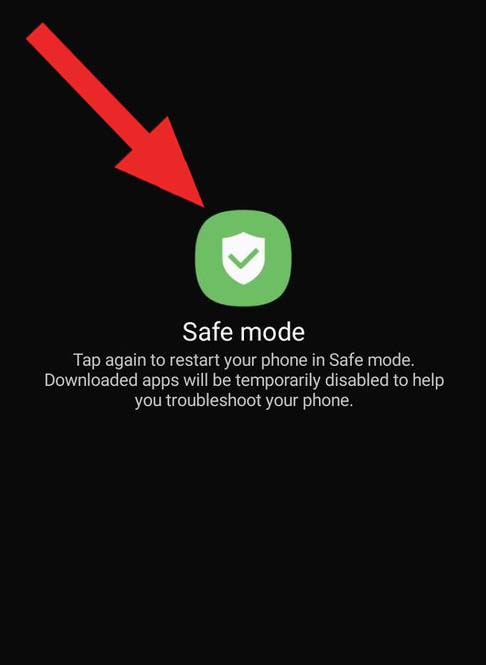
Check if the problem is solved or not, if yes, then exit Safe mode by restarting the device, then uninstall the faulty app.
Fix 3: Wipe Cache Partition
It might be your phone stores some corrupted cache files that are causing the vertical line on the Samsung A71 screen.
You can clear the cache partition to delete those corrupted files, it will solve the issue. These are the steps to follow.
1: Press and hold the Volume down and Power buttons simultaneously until the phone goes off.
2: Press and hold the Volume Up + Power Key until you see the Samsung logo.
3: Your phone will now enter Recovery mode, using the Volume buttons, highlight Wipe Cache Partition.
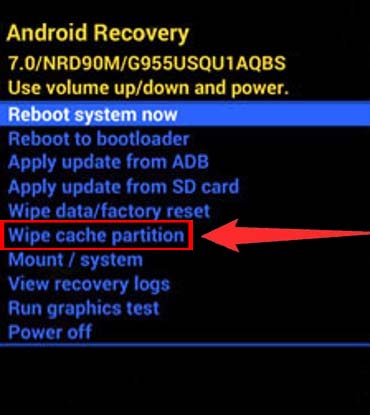
4: Press the Power button once to confirm, then select Yes and confirm it by using the Power button.
5: Once the process is completed, select Reboot system now, then confirm it by using the Power button.
Verify if the issue is resolved or not.
Also Read: How To Fix Samsung S24 Ultra/S24 Plus/S24 Green Line Issue
Fix 4: Factory Data Reset Your Phone
If the above methods fail to help you, then you can perform this workaround.
It will solve the Samsung A71 display white line problem easily but also wipe your existing data. So, make sure you have the backup of your data.
Note: If you don’t have any backup, then backup your data before doing these steps, so you can restore them later.
These are the steps to follow.
1: Navigate to Settings > General management > Reset.
2: Tap on Factory data reset > Reset.
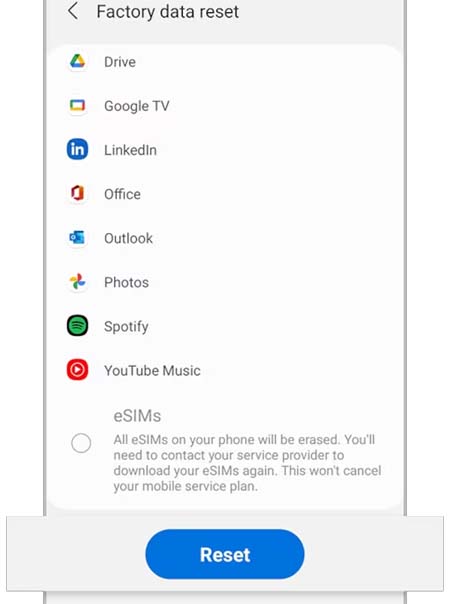
3: Enter your Credentials if prompted.
Check if the issue is solved or not.
Fix 5: Submit Error Report On Samsung Member App
If none of the methods help you, then you can try submitting an error report using the Samsung member app.
Follow these steps to do so.
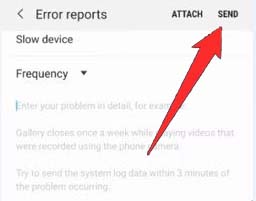
1: On the Home screen, touch and hold the Samsung Members app icon, then tap on Error reports.
2: It will ask to send system log data, tap on OK to confirm.
3: Now, choose the Symptom category and describe the issue in detail.
4: Tap on SEND.
Also Read: How To Fix Samsung Fold Unresponsive Screen
Fix 6: Carry Your Phone To The Nearest Samsung Service Center
If you have come this far, and your problem is still not solved, then you can contact Samsung support or take your phone to the nearest Samsung service center.
There are chances that some internal components are damaged or Samsung A71’s screen has unusual line damage that is only solved by professionals.
If that’s the case, you can ask for a screen replacement or phone replacement, if it is on the warranty period.
Conclusion
Here is the end of this guide on how to fix the vertical white line on the Samsung Galaxy A71.
This kind of issue often occurs due to a broken screen or display. So, if you find doing these fixes didn’t help you, then you can get your phone checked by professionals.
I hope you found this guide helpful, if it does, do share it with others.
You May Also Like:
- Samsung Phone Screen Broken? Here is How To Unlock it!
- Samsung S23, S23+, S23 Ultra Screen Flickering? Here’s How To Fix!
- How To Fix Samsung A14/A14 5G Touchscreen Not Working
- How To Fix Samsung Galaxy Z Flip 5 Touch Screen Not Working

Max Field is a founder of Recover Android Data. He is an Android lover and loves to write tips, tricks, fixes for errors, data recovery solutions and more related to Android.