
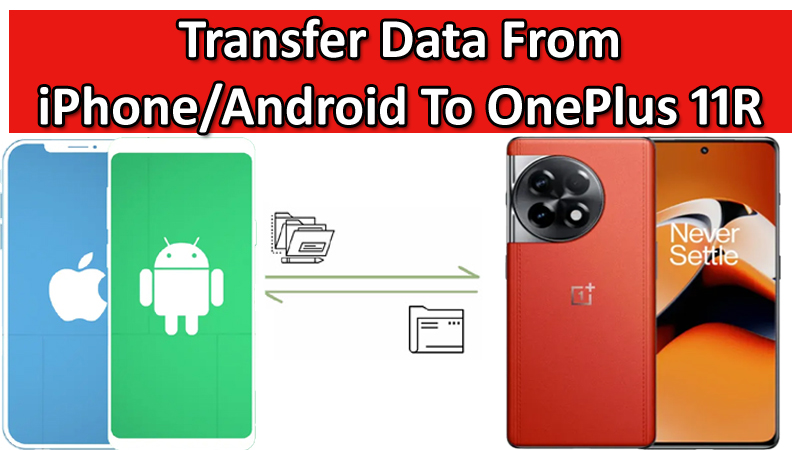
Purchased a new OnePlus 11R 5G phone?
Excited to use it?
Wait a minute!
Have you transferred data from your old phone data to your new OnePlus 11R smartphone?
If not, then this post is for you.
In this guide, you will learn how to transfer data from Android or iPhone to OnePlus 11R.
So, here we go!
Also Read: How To Recover Data From OnePlus With Broken Screen
Method 1: Transfer Data From Android (Samsung) To OnePlus 11R Using Clone Phone App
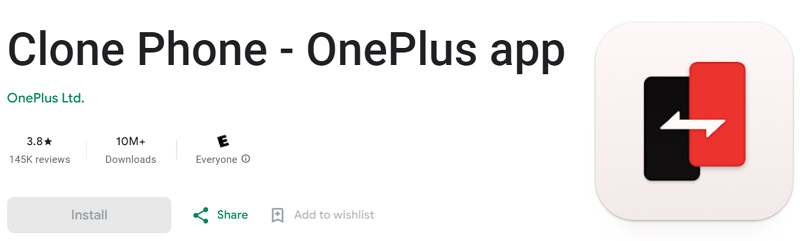
Clone Phone app is the official app from OnePlus that is designed to migrate data from Android, OnePlus, iPhone to OnePlus Phone.
With the help of Clone Phone app, one can easily copy data such as contacts, call history, short messages, pictures, audio, video, notes, apps, downloads, and documents, etc from one phone to another OnePlus phone.
Things You Wil Need
- Make sure both the devices are fully charged (old Android/Samsung phone and new OnePlus 11R).
- Make sure Clone Phone app is installed on both devices and all permission is granted. You can download Clone Phone app from Play Store.
- And a good Wi-Fi internet connection.
Alright, here follow the steps:
Step 1: Open Clone Phone app on Both the Devices.
On your OnePlus 11R, select “This is new device”. Next, select the type of the old phone.
For example:
- If you are transferring data from Oppo, Realme or OnePlus, then tap on first option.
- If you are migrating data from another brand such as Samsung, then tap on the second option that is “Other Android”.
Step 2: Connect Both The Devices.
A QR code will get displayed on your new OnePlus 11R phone screen.
Now, on your old phone open Clone phone app and select “This is old device” and scan the QR code that is displayed on the new phone screen.
The two phones will now be connected.
Step 3: Select Data Types and Start Transferring.
Once both the device is successfully connected. Select the data types on the old phone and then tap on “Start Migration”.
Wait for the transfer process to be complete.
That’s All!
Also Read: How To Unlock OnePlus With Broken Screen
Method 2: Transfer Data From iPhone To OnePlus 11R Using Clone Phone App
You can use the same Clone phone app to transfer data from iPhone To OnePlus 11R.
Things You Wil Need
- Make sure both devices are fully charged (iPhone and new OnePlus 11R).
- Make sure Clone Phone app is installed on both devices and all permission is granted. iPhone users can download Clone Phone app from App Store. If you can’t find it in App Store, then in the step below, you will know how to get it. OnePlus 11R users will have it pre-installed, if not then download it from Play Store.
- And a good Wi-Fi internet connection.
Alright, here follow the steps:
Step 1: Open Clone Phone app on Both the Devices.
Open Clone Phone app on OnePlus 11R and select “This is new device”. Next, select the type of the old phone as “iPhone”. A QR code will be displayed on the OnePlus 11R phone screen.
Now, on your iPhone, open camera app and scan the QR code that is displayed on the OnePlus phone screen to download the Clone Phone app on iPhone.
Step 2: Synchronize Data To iCloud On iOS Device.
On iPhone, go to Settings and login to iCloud using your Apple ID and then enable synchronization options such as Photos and Contacts in iCloud as required.
Step 3: Connect Both OnePlus 11R and iPhone.
Make sure all the data of your iPhone is backed up to iCloud.
Open Clone Phone app on your OnePlus 11R and select “This is the new device” and select “iPhone”. A QR code will be displayed on your OnePlus phone screen.
Now, open Clone Phone app on iPhone and select “This is the old device” and scan the QR code that is displayed on the new OnePlus 11R phone screen to connect both devices.
Step 4: Import Data To OnePlus 11R
After both the devices is connected successfully, tap on “Start Migration” to transfer data.
On the iCloud login screen, import Contacts and Pictures data.
If the transfer process gets disconnected during the process, then try to login to iCloud and then resume the import process.
Please note that due to compatibility issues, only some of the data types can be imported.
That’s It! Wait for the migration process to be completed.
Important Notes:
- Clone Phone app can transfer data from Android/iPhone to OnePlus phone only. You cannot transfer data from OnePlus to Android or iPhone.
- While transfer process, you should not close app on any of the device or switch between the apps until the complete process is complete.
- Transfer is resumable. Hence you do not have to worry if there is any interruption during migration.
- The migration process will take some time, because it consists data transmission and installation. So, you have to keep patience.
Also Read: 4 Ways To Transfer Data From Android Or iPhone To OnePlus Nord
Method 3: Transfer Data From Any Android/iPhone To OnePlus 11R Using Phone Transfer
Here I introduce another very popular and most trusted third-party software known as Phone Transfer.
With the use of this software, you can easily and quickly transfer data from any Android or iPhone to OnePlus 11R.
With Phone Transfer software, you can transfer the following types of data:
- Android (Samsung) To OnePlus 11R: Transfer 11 file types: photos, videos, contacts, messages, call history, bookmarks, calendars, voice memos, contact blacklists, music, and apps.
- iOS (iPhone/iPad) To OnePlus 11R: Transfer 12 file types: photos, videos, contacts, contact blacklists, messages, bookmarks, calendars, voice memos, music, alarm records, voicemail, and ringtones.
The best thing about this Phone Transfer software is that is available for Windows and Mac computers and it is compatible with the latest Android OS and iOS.

|

|


Here follow the steps to transfer data from Android/iPhone to OnePlus 11R with the help of Phone Transfer software.
Wrap Up
So, those were the three methods that you can follow to transfer data from Android, iPhone to OnePlus 11R.
You can try Clone Phone – OnePlus app or you can try the most popular and trusted Phone Transfer software which is mentioned in Method 3.
If you have found this post helpful, then please share it as it can help others!
Please support us by subscribing to our YouTube Channel.
You May Also Like:
- Easy Way To Switch Data From An Android To OnePlus 8 (Pro)
- OnePlus 11 Data Recovery: Recover Photos, Videos, Contacts
- Solutions To Fix Green Line Issue on OnePlus Phone
- OnePlus Lockbox Recovery – Recover Data From Private Safe/Lockbox

Max Field is a founder of Recover Android Data. He is an Android lover and loves to write tips, tricks, fixes for errors, data recovery solutions and more related to Android. Provide Gaming Tips, Tricks, Game Error/Issues Solutions (PC/Xbox/PlayStation/Mobile). He has 11+ years of experience in this field.