


Are you looking to use ChatGPT in your WhatsApp?
Do you want ChatGPT to reply to messages on your WhatsApp?
Well, in this article you are going to learn how to use ChatGPT in WhatsApp.
Way 1: BuddyGPT
BuddyGPT is an AI bot powered by ChatGPT 3.5 which can respond to the usual text as well as it even generates the image. Also, you can interact with audio notes as well.
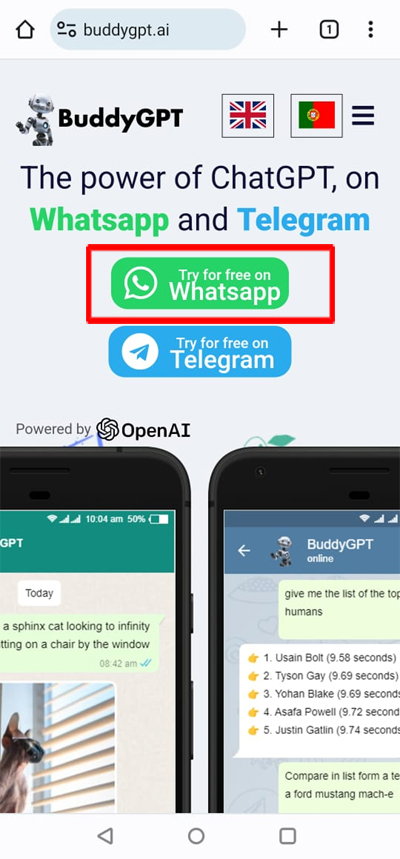
To integrate BuddyGPT with WhatsApp, go to BuddyGPT website. Select “Try for free on WhatsApp”.
You will then be redirected to WhatsApp, here reply with “Hi” in the chat and then accept their terms. Select the language and tap “Send”. That’s it.
Here are the steps to do so:
Step 1: Go to BuddyGPT website.
Step 2: Tap on “Try for free on WhatsApp”.
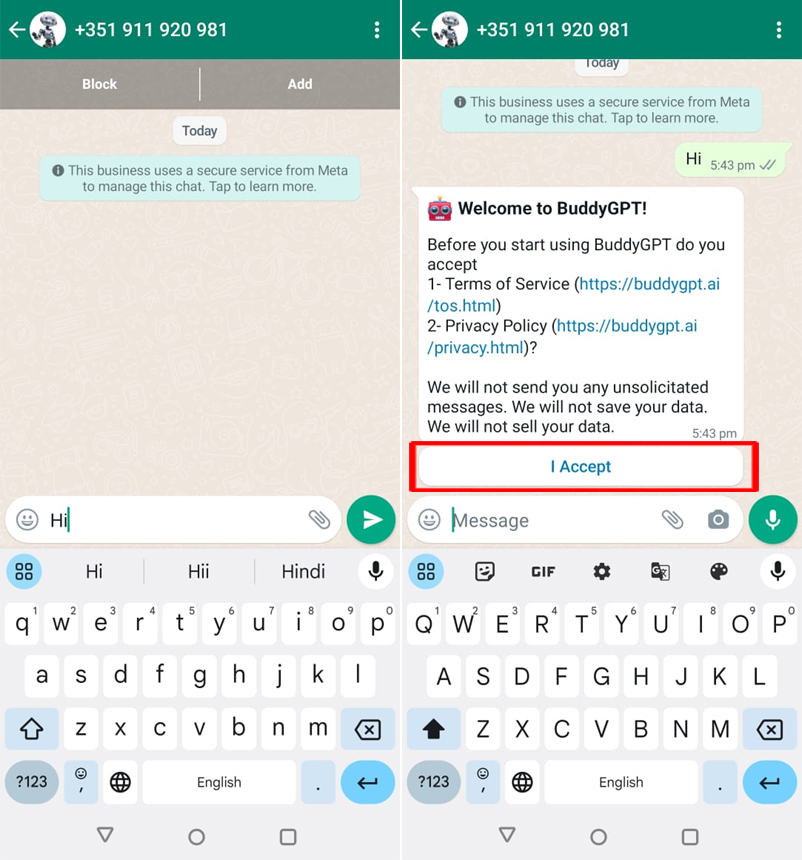
Step 3: Now, you will get redirected to WhatsApp. Simply, respond with “Hi” in the chat.
Step 4: Read their terms and tap “I Accept” to continue.
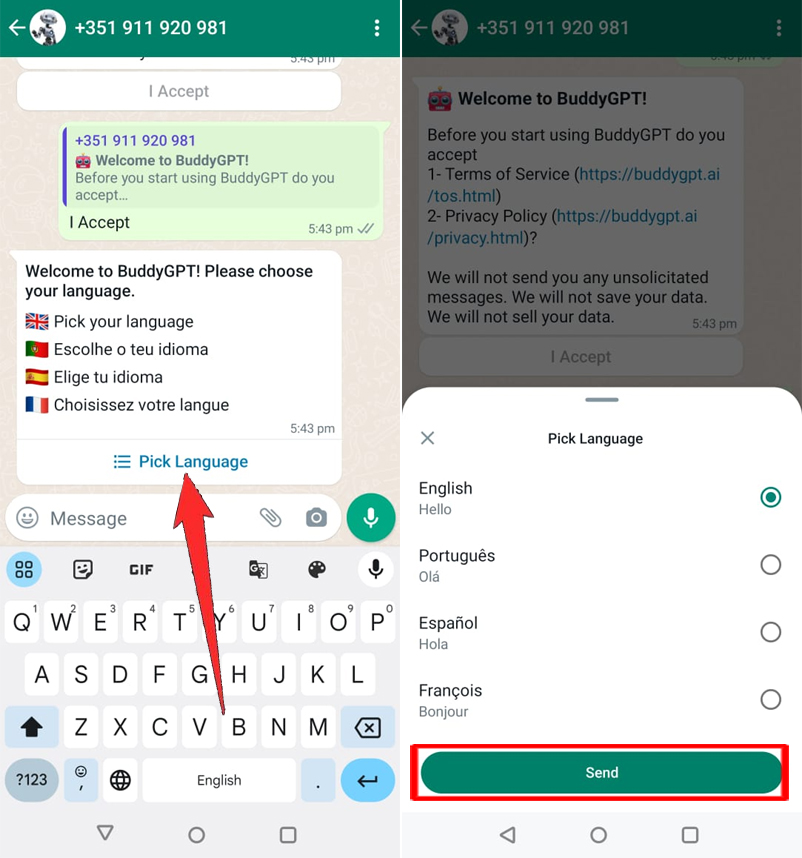
Step 5: Select your preferred language and tap “Send”.
That’s All! You can now use ChatGPT in your WhatsApp.
However, the free version of the ChatGPT will allow you to generate 25 messages and up to 3 images.
Once you complete the usage of the free quota, you have to subscribe to the premium plans.
Also Read: How To Fix WhatsApp Not Connecting
Way 2: WizAI
Just like BuddyGPT, WizAI is another bot that you can use on WhatsApp.
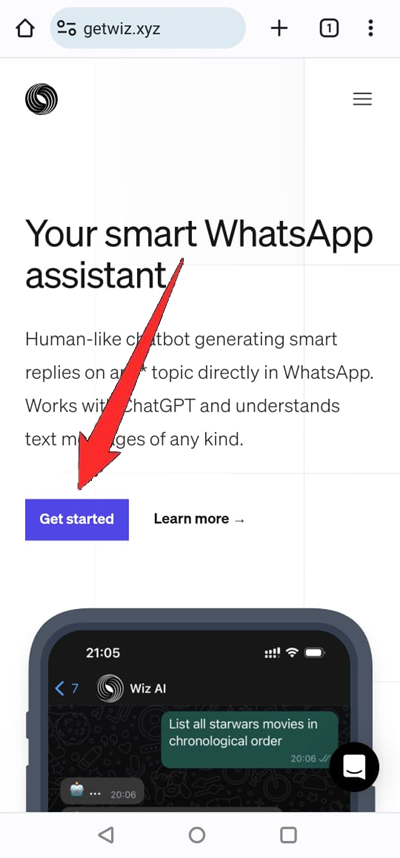
To use WizAI in WhatsApp, visit WizAi website, and tap on Get Started, it will redirect you to WhatsApp.
That’s It! You don’t have to sign up here.
Here are the steps to do so:
Step 1: Go to WizAi website.
Step 2: Tap on “Get Started”. You will then be redirected to WhatsApp.
Step 3: Start using ChatGPT.

Also Read: Is Your WhatsApp Not Working? Here What You Need To Do!
Way 3: Integrate ChatGPT Into WhatsApp Using GitHub
You can also integrate ChatGPT into your WhatsApp using code from GitHub for free.
A developer named Danielgross has created a Python script. You have to download that code and access the language library.
Here follow the steps how to integrate ChatGPT into WhatsApp:
Step 1: Go to GithHub link to download the code.
Step 2: Click on Code and then click on “Download Zip”.
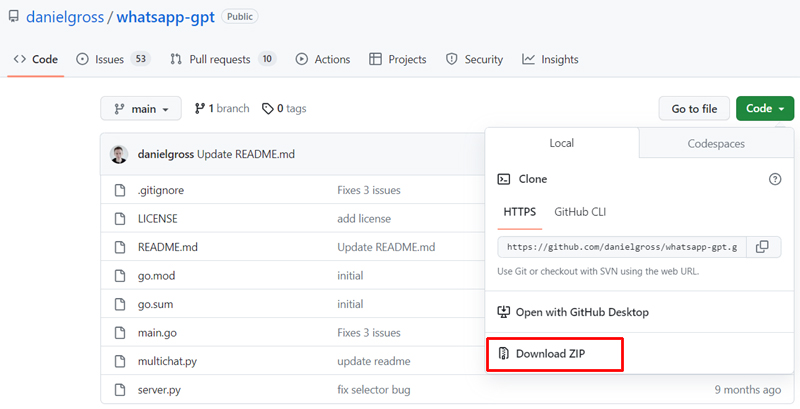
Step 3: Open the terminal and the select “WhatsApp-gpt-main” file.
Step 4: Run the “server.py” program from the terminal.
Step 5: Enter “Is” and click to continue.
Step 6: Enter “python server.py.”
Step 7: Your phone number is now automatically set up on the OpenAI chat page.
Step 8: Now, simply find ChatGPT on your WhatsApp account and use it.
Wrap Up
ChatGPT is powerful and this tool can be used to enhance our life and improve productivity. The use of ChatGPT on WhatsApp will allow you to have great conversations and you can even contact international clients without any language barriers.
So, if you are looking to use ChatGPT on WhatsApp, then you can follow any one of the ways mentioned above in this article.
If you have found this post helpful, then please share it as it can help others!
Please support us by subscribing to our YouTube Channel.
You May Also Like:
- Fix ChatGPT Error “Something went wrong. Please contact us through our help center at help.openai.com”
- How To Create a WhatsApp Channel (Guide With Images)
- How To Fix Link Is Not Clickable In WhatsApp
- How To Fix WhatsApp Web Copy Paste Text Not Working

Max Field is a founder of Recover Android Data. He is an Android lover and loves to write tips, tricks, fixes for errors, data recovery solutions and more related to Android. Provide Gaming Tips, Tricks, Game Error/Issues Solutions (PC/Xbox/PlayStation/Mobile). He has 11+ years of experience in this field.