

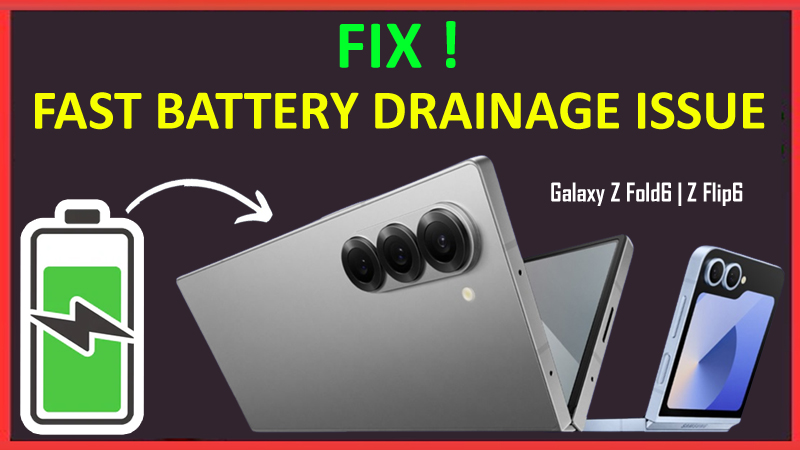
Are you annoyed by the fast battery drainage issue on your Samsung Galaxy Z Fold 6 or Flip 6?
Samsung has recently launched a new pair of smartphones, Galaxy Z Fold 6 and Flip 6. These phones are a great choice if you want to try something exciting.
However, many users are annoyed by the fast battery drainage problem taking place on Galaxy devices.
Some users also complain that their Galaxy Z Fold 6/Flip 6 battery completely drains overnight without using it. Isn’t it concerning?
Well, don’t worry! In this guide, you will learn how to fix battery draining quickly on Samsung Galaxy Z Fold 6 and Flip 6. Also, I will give you some tips to improve the battery life of your Galaxy device at the end of the article. So, keep reading this guide to reveal those tips!
Even before you move further and learn the solutions, let us also explore what are the factors that could be the reason for this problem.
Causes of Fast Battery Drainage on Samsung Galaxy Z Fold 6/Flip 6
Many factors could be the reason to blame but the below-mentioned factors majorly affect the battery life of your Z Fold 6 or Flip 6 smartphones.
- Double synced screen (when unfolding).
- Large Screen size.
- Software not Updated
- The screen Brightness is too bright
- Third-party Apps
- Faulty Charger
- Damage Battery
So, these were some of the causes that could be responsible for the battery drainage issue.
Now that you are familiar with the reasons, you should move ahead and read the fixes to solve the problem.
How To Fix Fast Battery Drainage Issue on Samsung Galaxy Z Fold 6/Flip 6
Fix 1: Check For Samsung System Updates
An outdated software could be responsible for the battery to drain quickly.
So, if you have not updated your Samsung device Software then you should update it to the latest version.
After updating the software, check if your battery is draining as fast as it was draining before the update or not.
If it is not draining that much comparatively, then the outdated software was the reason behind this issue.
Fix 2: Set The Screen Brightness Low
Screen brightness plays a very crucial role in the battery consumption share.
For instance, if you compare two brand-new smartphones, one with higher brightness and the other with lower brightness.
So, which smartphone do you think will die first? Of course, the one with the higher screen brightness!
Here you understand the role of screen brightness, don’t you?
Hence, it would be best if you lowered the brightness of your phone screen from the Quick Settings to extend the battery life and prevent fast drainage.
Fix 3: Turn ON Adaptive Brightness
Another method you can count on will be turning ON the Adaptive Brightness option on your Samsung Galaxy Z Fold 6 and Flip 6.
As said in the fix 2, you have to lower the brightness. But how much low is enough for everyone? Well, if you don’t know your preference of brightness level, then this mode is an ideal option.
Adaptive Brightness will adjust the brightness level according to your device’s surrounding brightness.
Follow the steps to enable that:
- Navigate to the Settings app on your Samsung device.
- Tap on Display.
- Enable the toggle for Adaptive brightness.
Now, wait and check if this option worked for you.
Fix 4: Use Dark Mode
You can also change the theme of your phone to dark mode.
Dark mode consumes less battery as compared to the light mode.
So, switch Light Mode to Dark Mode and see if it works.
Fix 5: Enable Power Saving Mode
The next method is the Power Saving Mode. As the name suggests, this mode helps you extend the battery life longer and lets the apps on your device consume less energy.
Here’s how to turn it ON:
- Open Settings on your device.
- Next, scroll down and tap on Battery.
- Now, tap on the Power saving option to enable it.
After this, check if this mode solved the issue.
Fix 6: Enable Adaptive Battery
Go through the steps to do so:
- Go to the Settings app on your Galaxy phone.
- Scroll down and tap on Battery and Device Care.
- Tap on Battery > More Battery Settings at the bottom.
- Toggle on Adaptive battery.
Fix 7: Disable Always on Display (AOD) Mode
This mode can drain the battery of your Galaxy phone very quickly. So, you are suggested to turn Always on Display Mode OFF.
Follow the steps to do so:
- Navigate to Settings.
- Now, look for Lock screen and AOD and tap on it.
- Lastly, turn the AOD Mode OFF by taping on the toggle button.
This will help you fix the issue.
Fix 8: Boot Your Samsung Device into Safe Mode
It could also be possible that the third-party app that you have downloaded on your phone is the reason behind the fast battery drainage issue.
To verify this, you should boot your Samsung Z Fold 6/Flip 6 into the Safe Mode.
Here you can learn How to boot into Safe Mode.
After booting into Safe Mode, wait for a few hours and check if the battery is draining faster or slower. If the draining rate is low then it must be the third-party app(s) causing this problem.
So, uninstall the third-party app after exiting the Safe Mode. Restart your Samsung device to exit the Safe Mode.
Fix 9: Factory Reset Your Samsung Galaxy Z Fold 6/Flip 6
If all the above methods fail to fix the problem, then there must be some faulty settings or any bugs in your device. In such a case, you should perform a Factory Reset.
Note: Before opting for this method, keep one thing in mind: having a backup for your data as Factory Reset will delete all of the data from your device.
Here’s how to do a Factory Reset:
- Open Settings and tap on General Management > Reset.
- Tap on Factory data reset > Reset > Delete All > Confirm.
Now, set up your device, and don’t set any faulty settings. Also, check if the battery life got longer.
Fix 10: Contact Samsung Support
In case, Factory Reset also fails to fix the quick battery drainage issue, then the last option left for you will be to contact the Samsung Developers.
Contact and explain to them your concern properly. They will surely help you so, wait for their response.
Tips To Improve Battery Life of Samsung Galaxy Z Fold 6/Flip 6
- Don’t keep too many background apps.
- Use darker wallpaper for your screen.
- Avoid using live or moving Wallpaper.
- Don’t use widgets.
- Decrease the refresh rate of your device.
- Disable GPS when not in use.
- Disable the 5G network.
- Avoid using the phone while charging.
These are some of the tips you should keep in mind to prevent the battery drainage on Samsung Galaxy Z Fold 6/Flip 6.
Wrap Up
The Battery is the main factor in using a smartphone smoothly and long-lasting. If the battery life is very long then you don’t have to charge it too often.
If your device’s battery life is not long enough, then what? You won’t be able to use your smartphone peacefully, right?
But what if I tell you that you can fix and improve the fast battery drainage?
Yes, you got it right! In this article, we have provided you with all the possible fixes to fix the fast battery drainage issue on the Samsung Galaxy Z Fold 6 and Flip 6.
I hope you read this article and were able to fix the problem.
You May Also Like:
- Fix Bluetooth Connection Issues on Samsung Galaxy Z Fold6/Flip6
- Fix Wi-Fi Connection Issues on Samsung Galaxy Z Fold 6/Flip 6
- How To Recover Deleted Data From Samsung Z Fold6/Z Flip6

Max Field is a founder of Recover Android Data. He is an Android lover and loves to write tips, tricks, fixes for errors, data recovery solutions and more related to Android.