


Instagram has added a new feature, where users can give nicknames to their friends within the in-app chat.
The new feature allows you to add a nickname for yourself and your friends which will only appear in your DM (Direct Message) chats and it won’t affect your username.
People you follow can change the nickname anytime within a chat.
This feature is newly released, so if you don’t find it yet then you need to wait until it is rolled out to you.
However, if you have this feature but don’t know how to set a nickname in Instagram chat/Instagram group chat or how to change or edit nickname on Instagram DM then follow the steps listed below to learn how to set nickname in chat on Instagram.
How To Set Nickname In Chat On Instagram
If you want to give your friends some unique nicknames then it is very easy to do. Simply follow the steps to set nickname in chat on Instagram.
Step 1: Open the Instagram app on your phone.
Step 2: Then tap on the chat icon on the top right.
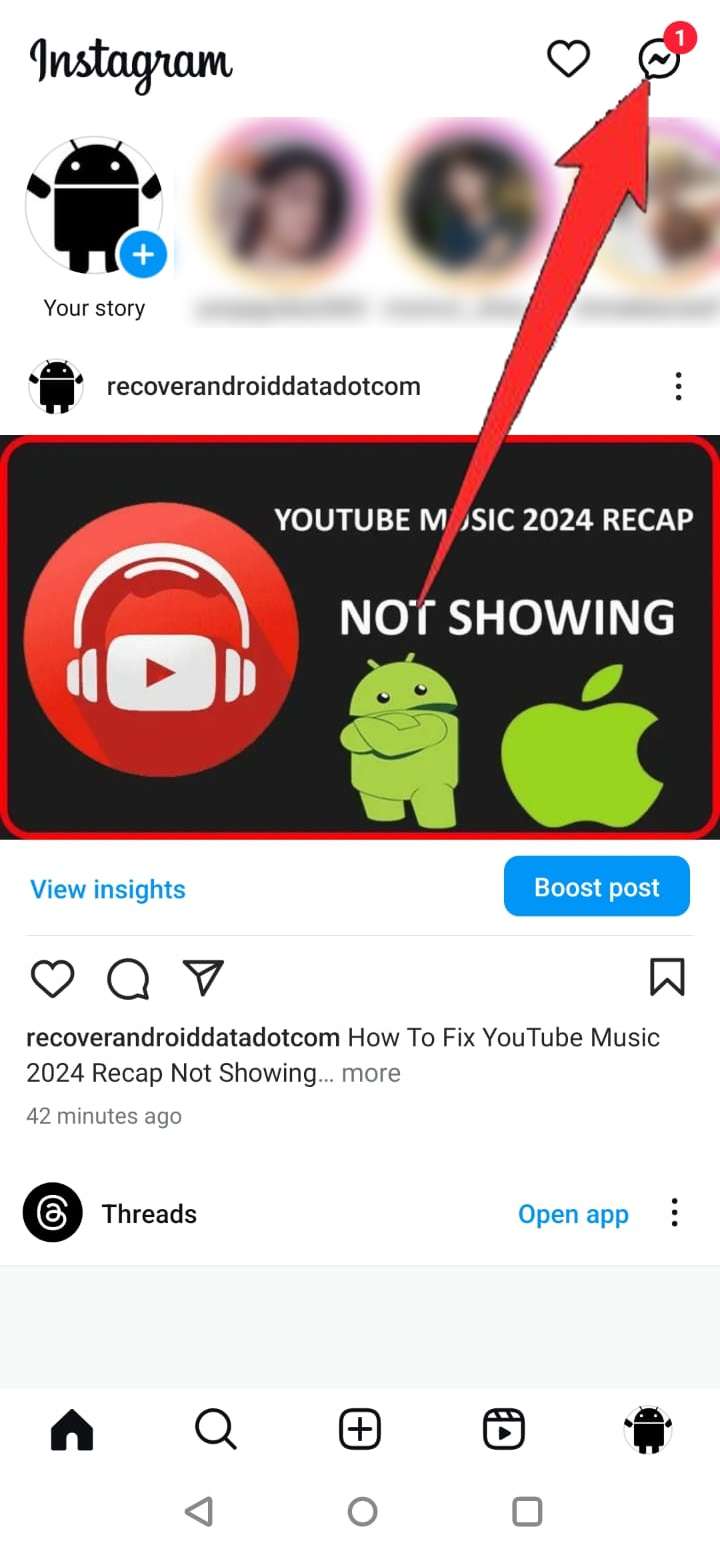
Step 3: Now, select the friend (user) for whom you want to set a nickname.
Step 4: Hit on their username at the top navigation bar.
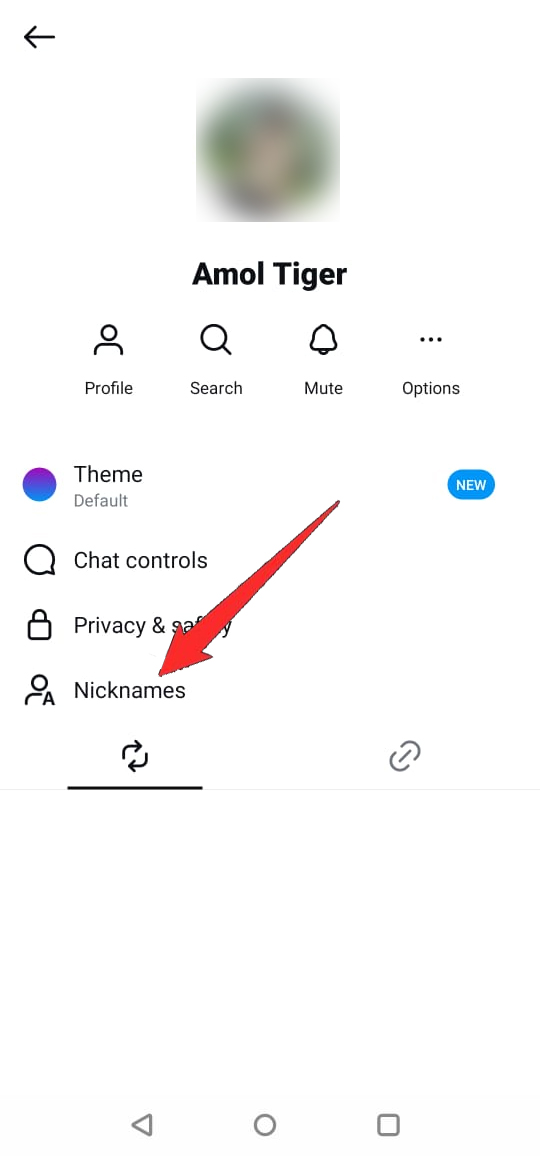
Step 5: Tap on “Nicknames” and choose the friend (user) you want to set a nickname.
Step 6: Give a nickname to your friend and tap on Done.
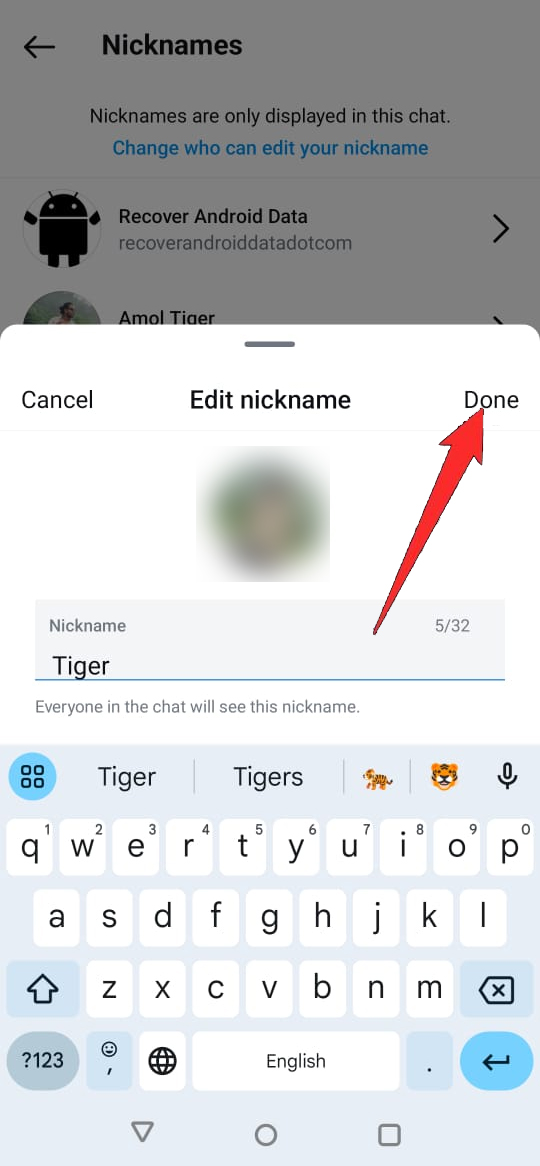
That’s It!
Wrap Up
So, this is a short guide where you have learned how to set nickname in chat on Instagram. We hope the steps discussed above have helped you to set nickname in DM on Instagram chat.
If you can’t find this feature yet then don’t worry and just wait as Instagram will slowly roll out the nickname feature worldwide. Just ensure that the Instagram app is updated to its latest version so that you won’t miss the new features.
You May Also Like:
- How To Fix “Add music to your profile” Not Showing In Instagram
- How To Fix ‘Your Request Is Pending’ On Instagram
- How To Fix “You submitted an appeal” On Instagram
- How To Remove Meta AI On Instagram

Max Field is a founder of Recover Android Data. He is an Android lover and loves to write tips, tricks, fixes for errors, data recovery solutions and more related to Android.