
Learn The Quick and Easy Way To Get And Use OpenAI’s ChatGPT On Android!
Are you wondering how to use Chat GPT on Android?
How to get and use OpenAI ChatGPT on Android phones?
If “Yes”, then you have landed on the right webpage. In this article, you will learn the step-by-step guide on how to use ChatGPT on Android.
What is ChatGPT?
ChatGPT is an Artificial Intelligence (AI) chatbot that can give answer to the questions, write code, create and more.
However, it can also deny inappropriate requests, assume questions and answer follow-up questions.
It is created and developed by OpenAI, a company that makes AI tech. Their main aim is to make safe AI that can help humanity and boost AI research.
However, they also claim that chatbot can also give inaccurate information about people, places, or facts.
Anyway, let’s find out how to use ChatGPT on Android.
Also Read: How To Create a Bondee Account In Easy Steps
Steps To Use ChatGPT On Android
Step 1: On your Android phone, open Chrome or any other web browser.
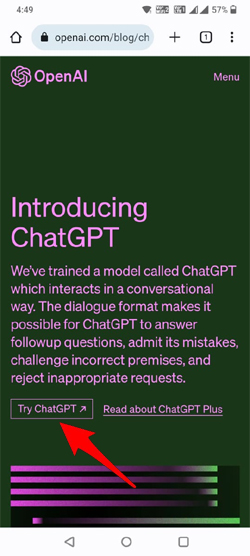
Step 2: Go to chat.openai.com and then tap on “Try ChatGPT”.
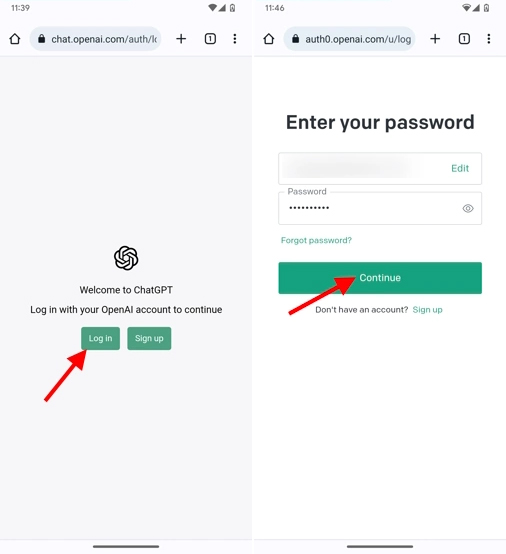
Step 3: Click on “Sign up” to create an account. You can sign-up with email, Google or Microsoft. If you have already created an account, then simply click on “Log in” and enter the credential and login.
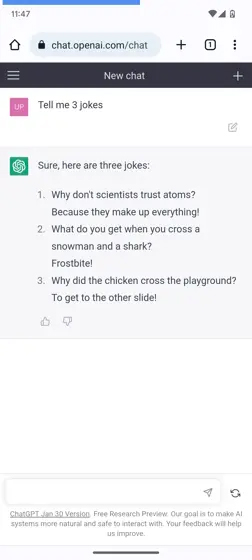
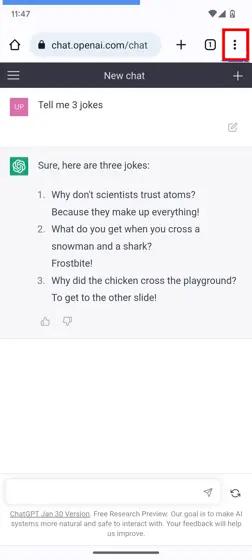
Step 4: That’s It! You can now start asking questions. For example – tell me 3 jokes.
Important Note:
- ChatGPT app is not yet available in Play Store for Android.
- Also, it is not supported in some countries like China, Russia and Saudi Arabia.
- If you are not able to access its service on your Android device, then connect to VPN app and then try.
Or else, you can wait until your country is supported or the official app becomes available in Play Store.
Now, the question is – If there is no official ChatGPT app available in Google Play Store, then how do we download ChatGPT on Android?
Well, below find out the tips!
Also Read: How To Stop Pocket Dialing Emergency Number
How To Download and Get ChatGPT on Android
Step 1: On your Android phone, open Chrome.
Step 2: Visit chat.openai.com.
Step 3: Tap on 3 Vertical dots, located next to the URL field.
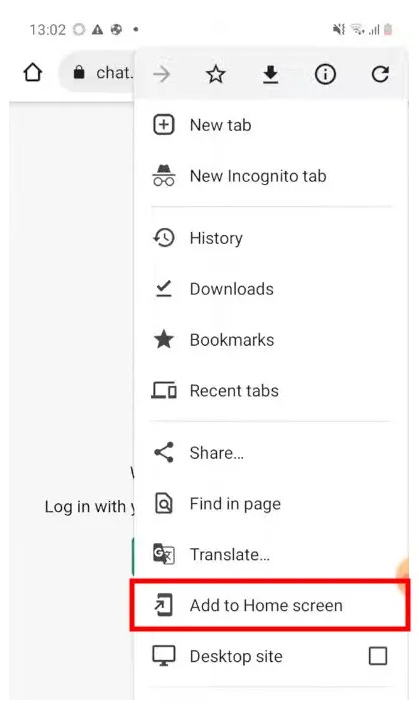
Step 4: Click on “Add to Home screen”.
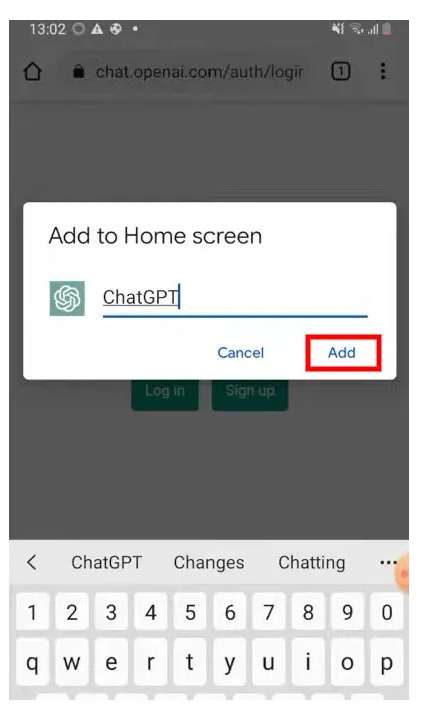
Step 5: Select the name, let it be “ChatGPT” and then tap on “Add”.
Step 6: A new pop-up will appear, again tap on “ADD”.
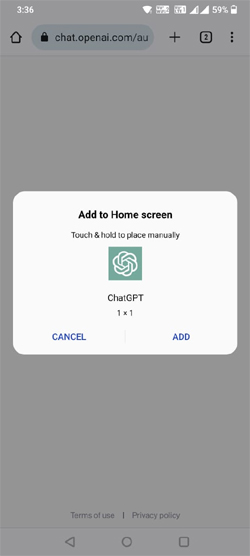
That’s All! ChatGPT will get added as an app icon to your phone’s Home Screen.
Next time, when you want to use ChatGPT on your phone, then simply tap on ChatGPT app icon and it will redirect you to its official website and then you can ask questions or make requests.
This will help you to access the website in one tap, and you do not have to open Chrome and follow the process again and again.
Wrap Up
So, I hope that was a quick and easy steps to use OpenAI’s ChatGPT on Android. Isn’t it? Have fun using the AI chatbot.
If you have found this article helpful and useful, then please share it as it can help others!
Please support us by subscribing to our YouTube Channel.
You May Also Like:
- Fix ChatGPT Error “Something went wrong. Please contact us through our help center at help.openai.com”
- What Is YouTube Live Dashboard? The Guide For YouTuber 2023
- Turn OFF “Suggested For You” Posts On Instagram
- How To Search Someone On OnlyFans

Max Field is a founder of Recover Android Data. He is an Android lover and loves to write tips, tricks, fixes for errors, data recovery solutions and more related to Android. Provide Gaming Tips, Tricks, Game Error/Issues Solutions (PC/Xbox/PlayStation/Mobile). He has 11+ years of experience in this field.