
Do you want to take pictures/shots from your Pixel phone’s camera without making sounds?
Do you want to turn off camera shutter sounds on Google Pixel phones?
If “Yes”, then you have landed on the right web page.
In this article, you will learn how to turn off camera sound on Google Pixel.
How To Turn off Camera Sound on Google Pixel
To turn off camera sound on your Pixel Phone is very simple and easy.
But first, make sure that your phone software is up-to-date as well as the camera app is also up-to-date.
Note: Below mentioned steps are applicable to Google Pixel 8/8 Pro/7/7 Pro/7a/6/6 Pro/6a/5 and other Pixel phones.
Step To Turn off Camera Sound on Google Pixel
Step 1: Open Camera app on your Pixel Phone.
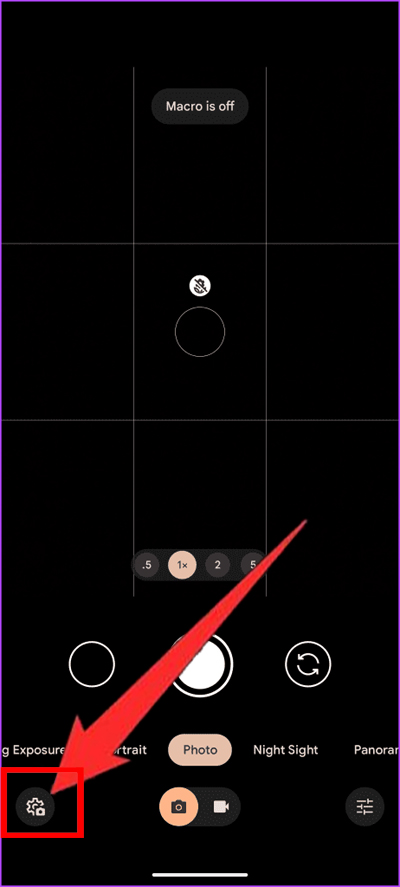
Step 2: Tap on camera Settings icon located at the bottom left corner.
Step 3: Tap on “More settings”.
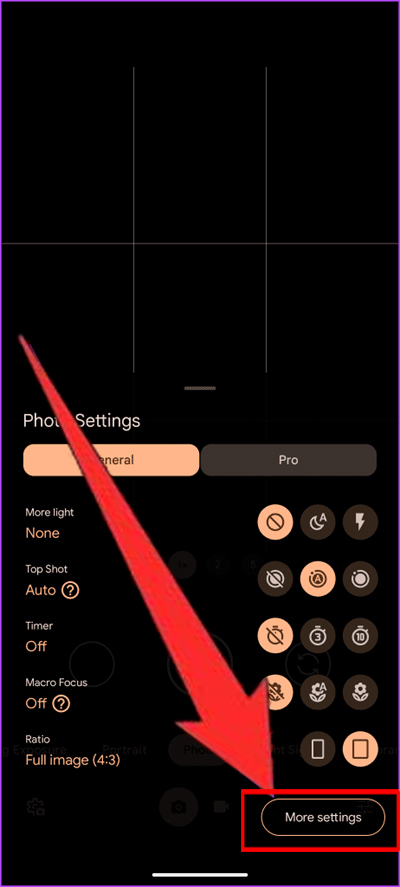
Step 4: Under General settings, toggle off “Camera sounds”.
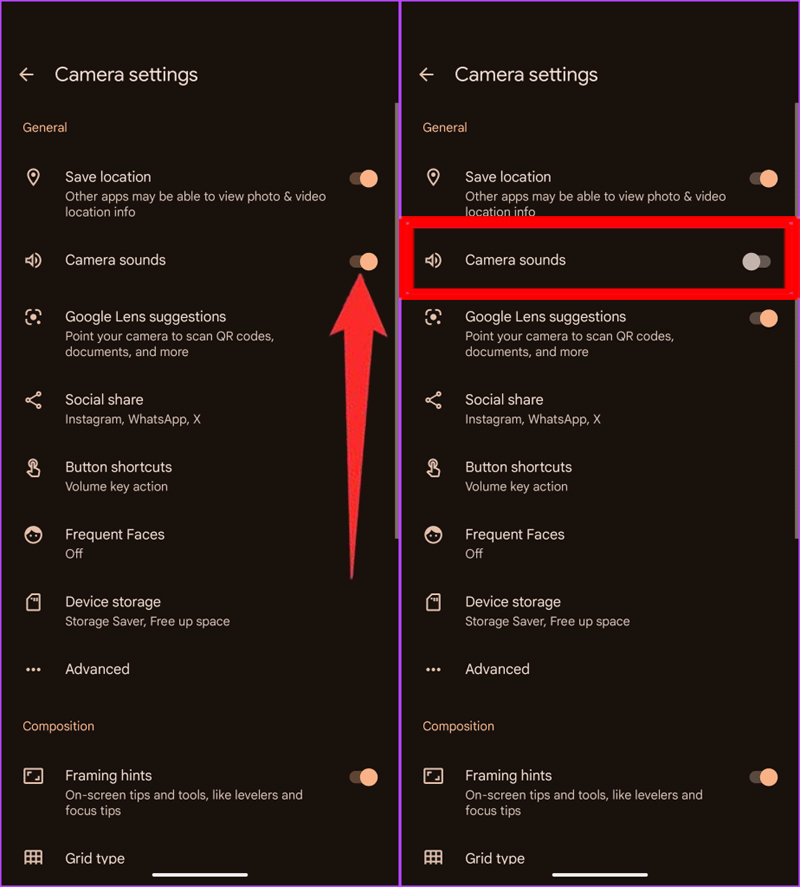
That’s it!
You have successfully turned off the shutter sound on the Pixel device and now you can take pictures/shots without making any sound. You are all now set to enjoy silent photography on your Pixel phone.
Wrap Up
I hope that following the above steps has helped you to turn off the camera sound on your Google Pixel phone.
If you have found this article helpful, then please share it as it can help other users!
Please support us by subscribing to our YouTube Channel.
You May Also Like:
- How To Fix Google Pixel 6/6 Pro Screen Wakes Up Automatically/Randomly
- Turn OFF Camera Shutter Sound On Samsung S23 Ultra/S22 Ultra/S21 Ultra
- Snapchat Camera Zoomed In? Here’s How To Fix
- How To Fix Phone Camera Making Buzzing Noise

Max Field is a founder of Recover Android Data. He is an Android lover and loves to write tips, tricks, fixes for errors, data recovery solutions and more related to Android. Provide Gaming Tips, Tricks, Game Error/Issues Solutions (PC/Xbox/PlayStation/Mobile). He has 11+ years of experience in this field.